How I Built a Live AI Webinar Using the Same Workflow I Was Teaching
Seven iterations, one recursive workflow. The behind-the-scenes account of preparing and delivering a live AI demonstration for The Data Lab – and what the process actually taught me.

Though I find the term slightly gross (apologies canine lovers), there's still something satisfying about ‘dogfooding’ – the practise of using one's own products or services.
The webinar I delivered for The Data Lab yesterday – From Blank Page to Comms Campaign in Under 30 Minutes: A Live AI Build with Claude – was built using the same AI-assisted workflow I demonstrated live on the day.
And it worked – jangly nerves be away with you!
This is the behind-the-scenes account of how that happened: specifically the run-through process, the role AI played in shaping the session guide, and what I learned about using Claude as a genuine production tool rather than a content generator.
The problem with live demos
Live AI demonstrations are high-risk. The tool is unpredictable. Generation times vary. Features glitch. If you haven't stress-tested your prompts against real conditions, you will find out in front of an audience.
I've watched presenters freeze when a model takes 90 seconds (or longer) to respond, or produce something completely off-brief, with no contingency in place. The instinct is either to wing it or script it to death. Neither works well.
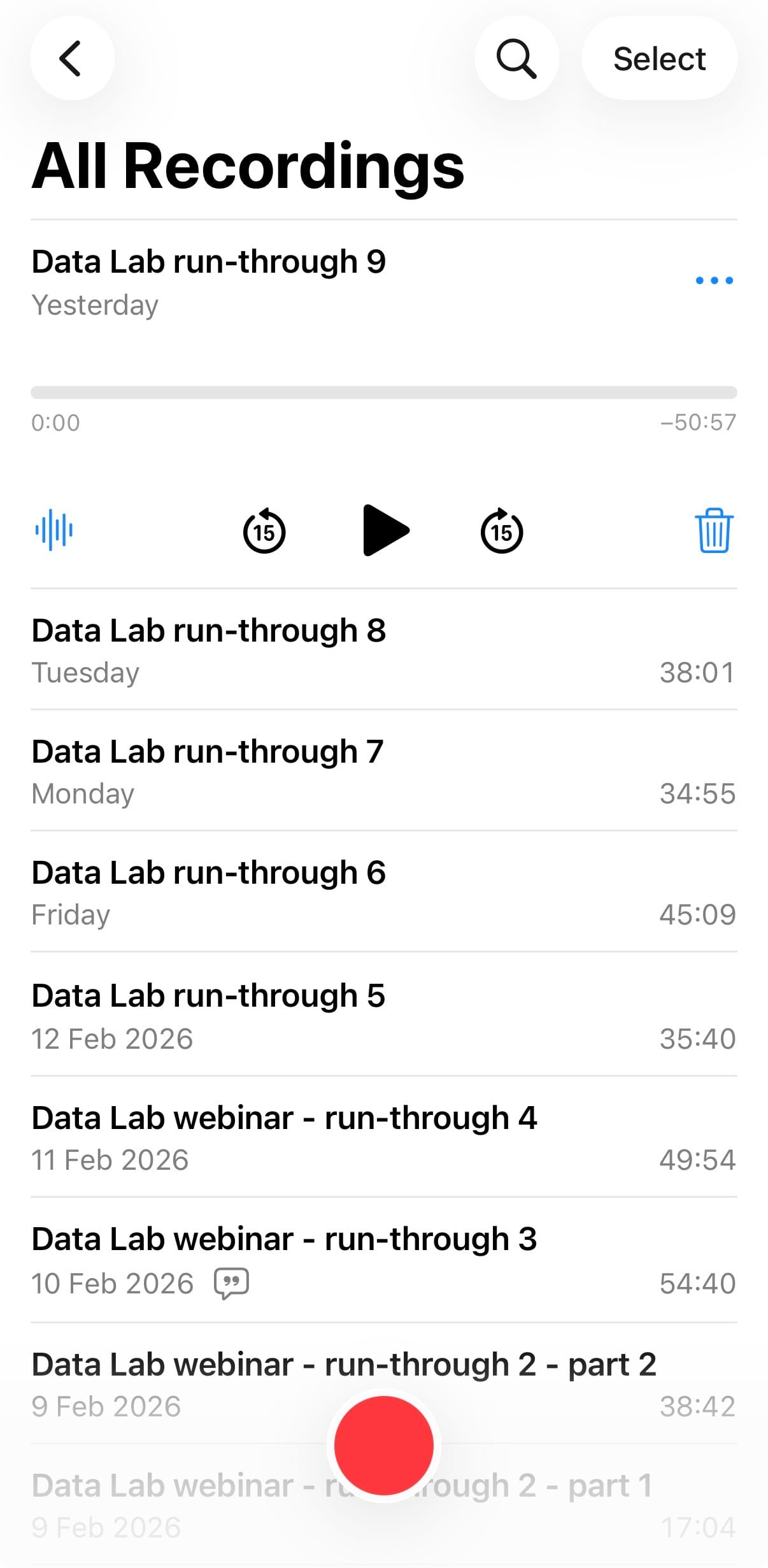
My solution was to treat each run-through as a production event, not just a rehearsal. Nine run-throughs in total, and seven iterations over several weeks. Each one recorded, transcribed, and fed back into the session guide as structured feedback.
The run-through process, step by step
1. Record yourself, not just the screen
Each run-through was recorded with audio commentary – talking out loud throughout. Not just "I'm clicking here," but "this feels rushed," "that makes no sense at this point," "I don't know what to say while this generates, and it’s giving me the boke."
That commentary was the raw material. Without it, you're reviewing what you did, not what it felt like to do it.
2. Transcribe with Otter
After each run-through, I ran the audio through Otter.ai to get a full transcript. Otter's accuracy on conversational speech is good enough for this purpose: you're not publishing the transcript, you're mining it for patterns.
What you're looking for:
- Hesitations and filler phrases that signal weak spots
- Places where you repeated yourself unnecessarily
- Moments where the AI output surprised you, in either direction
- Transitions that didn't land
The transcript externalises what you said versus what you meant to say. That gap is where the refinement happens.
3. Feed the transcript into Claude
This is where the workflow gets recursive. I'd paste the Otter transcript – alongside the current version of the session guide – into Claude with a specific brief:
"You're a critical editor reviewing a live demonstration session. Here's the transcript from the latest run-through and the current session guide. Identify: sections where my explanation was unclear or incomplete; timing issues; places where the live output didn't match the intended teaching moment; transitions that need scripting; anything I glossed over that an audience would find confusing."
The output wasn't always perfect, but it consistently surfaced things I'd missed – often because I was too close to the material to see them.
4. Iterate the guide, not just the prompts
Most people preparing live AI demos focus on prompt engineering. That matters, but it's not the whole problem.
The session guide is a production document. It tells you what to say, what to do, what to watch for, and what to do when things go wrong. After each run-through, the guide was updated – not just the prompts, but the scripts, the timing, the contingency plans, and the teaching moments.
By version 7, I had:
- Merged two steps that had been creating unnecessary repetition (brief cleaning folded into Project setup)
- Moved the Skill explanation to happen during the audience voting window – turning dead time into teaching time
- Added a specific follow-up prompt for when AI produces excessive placeholder brackets
- Written contingency plans for five distinct failure modes
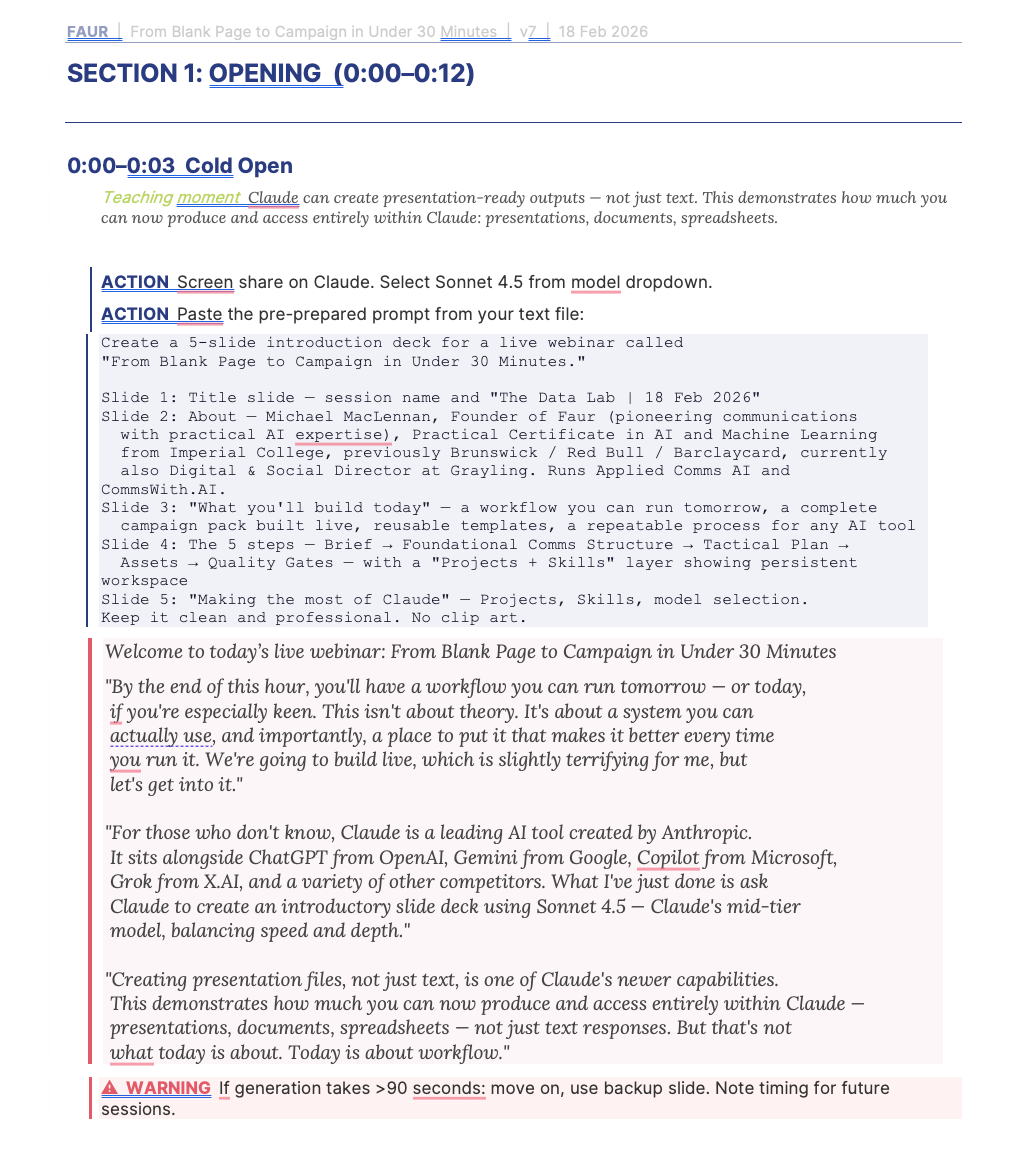
- Refined the cold open: asking Claude to generate an introductory slide deck live, demonstrating document creation capabilities before we'd even started the campaign build
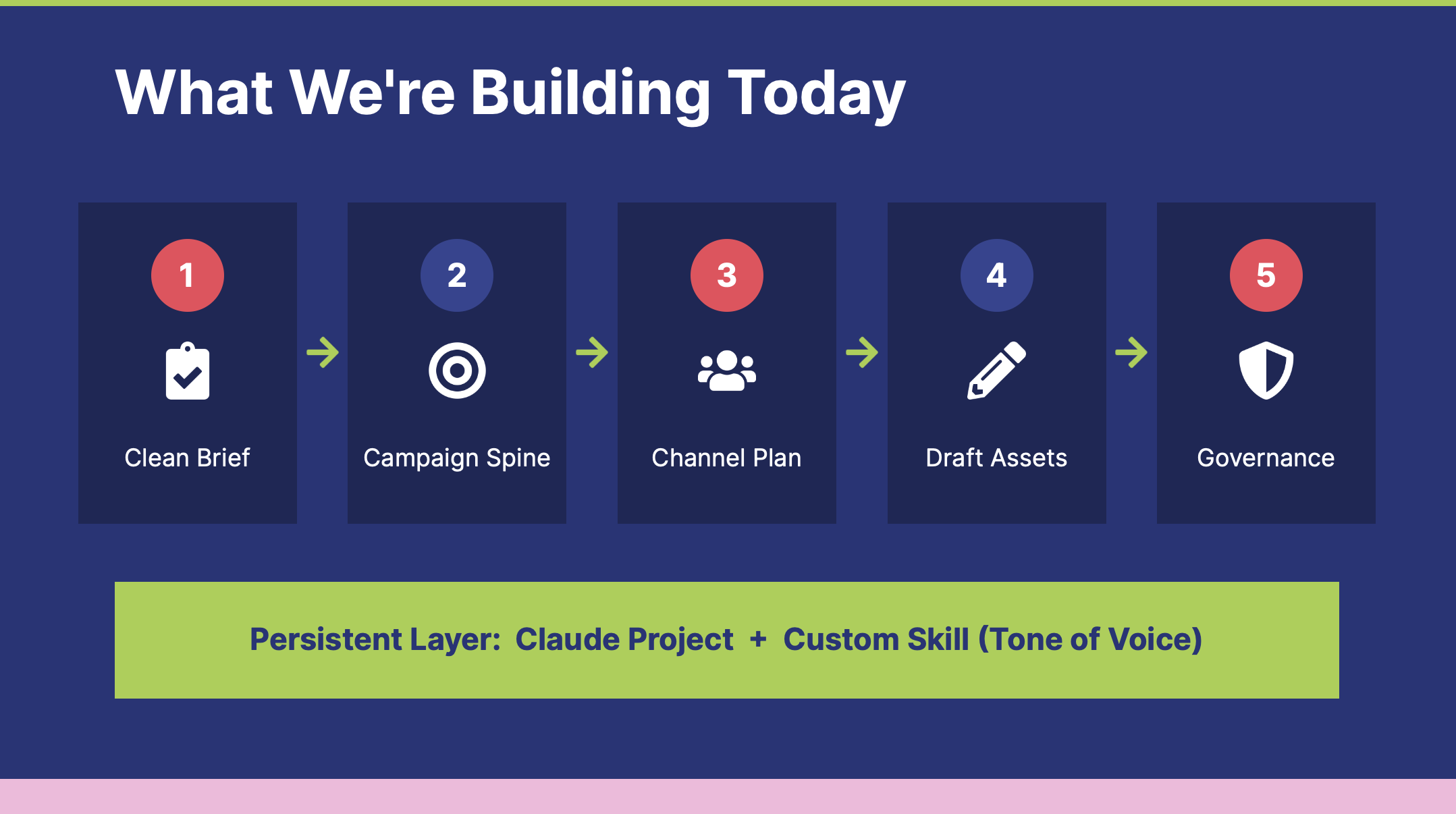
- Added a bookend: closing with Claude generating a recap slide summarising everything the session had built, demonstrating the compounding effect of a persistent Project folder
None of that came from pensively ruminating at a desk. It came from reading transcripts of things going mostly wrong at the beginning, then increasingly right.
What the process actually taught me
Timing is a first-class problem
In a 60-minute session with live AI generation, you have very little margin. The run-throughs revealed that my original structure was 12–15 minutes over. The transcript made it visible: I was over-explaining steps that didn't need explanation, and under-scripting transitions where I actually needed words.
The fix wasn't cutting content: it was tightening execution. Knowing exactly what to say during generation gaps (there are always generation gaps!) turned dead air into teaching moments. This included switching off screen-sharing and switching to answering questions at one point, to ensure that no one (hopefully!) felt time was being wasted.
AI output variability is a feature, not a bug
In early run-throughs, I tried to control what Claude would generate by making prompts very prescriptive. The outputs were predictable but dull – and harder to demonstrate live because there was no genuine discovery moment.
Loosening the prompts – particularly leaving the final asset in Step 5 deliberately open, asking Claude to "ad-lib something offbeat" – created more compelling live moments that an audience could react to. The unpredictability became part of the demonstration, not a liability, and made me slightly less nervous about things not popping up exactly as I’d anticipated.
Contingency plans need to be specific
"If something goes wrong, improvise" is not a contingency plan. By run-through 5, I had documented specific failure modes with specific responses:
- Generation takes > 90 seconds → switch to Haiku 4.5 (the lightest and quickest Claude model) for that step
- Skill builder glitches → explain why, note the compounding principle, continue without it
- Assets full of brackets → use the documented follow-up prompt (though in the end it felt fine to move on and note that we could do this)
- Generation fails entirely → use pre-prepared backup, note this for the audience
Each contingency was written as a script, not a note. That matters when you're on screen and your working memory is occupied by everything else.
The 30/70 principle
One framing that evolved and felt useful: AI does 30% of the work, you provide 70%. That's not a precise measurement: it's a corrective to the assumption that AI-generated output is finished output. You're the one providing strategic judgment, deciding what's good enough, shaping the draft into something that actually works. The workflow accelerates execution. It doesn't replace expertise.
On the day: what actually happened
The session opened with a jittery five minutes, I'll be honest! Running a live demo across Claude, a session guide, and an active chat window simultaneously created information overload – the kind that no amount of run-throughs fully replicates, because you can't simulate 130+ sign-ups potentially watching you in real time.
But then the audience got involved, and everything settled.
The day before the session, I'd posted to The Data Lab's community forum with a brief summary of the three campaign briefs and an invitation to vote in advance. That post generated plenty of comments before we'd even started – people debating the options, asking questions about the process, suggesting variations. By the time we were live, there was already momentum. The chat was active from the first minute.
The audience voted for Option B – the Scottish Tourism campaign – though Option A (the B2B SaaS launch) ran it close. Letting the audience choose the brief isn't just an engagement mechanic; it meaningfully changes what gets built. The session is shaped by their choice, which means it's genuinely live rather than a scripted demo with a participation veneer. That distinction matters, and the audience felt it.
The Q&A at the end ran over time in the best way – good questions from people who'd been paying close attention. It felt like a replicable session model for future re-use, so keep an eye out! A particular thanks to Steven Thomson, Community and Events Manager at The Data Lab, who produced and facilitated the whole thing with quiet efficiency. Sessions like this only work when the operational side is in place and seems to flow seamlessly – as it did.
A meta-point
This is what systematic AI-assisted workflow actually looks like. Not a single well-crafted prompt, but a loop: do the work, capture what happened, feed it back through AI with a precise brief, use the output to improve the process, repeat.
The session guide went through seven versions. Each one was materially better than the last. The workflow I demonstrated live on 18 February was built using the same principles I was teaching – persistent workspace, layered quality controls, compounding value over iterations.
If you're preparing a live AI demonstration, the question isn't "how good are my prompts?" It's "how many times have I run this, and what did I learn each time?"
The workflow, in brief
For anyone who wants to replicate this approach:
- Run through your session in full, talking out loud throughout
- Record with audio commentary (screen capture also an option, I might try that in future)
- Transcribe with Otter (or equivalent)
- Paste transcript + current guide into Claude with a specific editorial brief
- Use the output to update the guide: including scripts, timing, contingencies, teaching moments
- Repeat until the session is tight enough to run with confidence
Michael MacLennan founded Faur to bring practical AI implementation into strategic communications – not as a theoretical exercise, but as daily practice. He shares that practice openly at Applied Comms AI, and turns the best of it into ready-to-deploy tools at Comms With AI. He holds a Practical Certificate in AI and Machine Learning from Imperial College London. Find him on LinkedIn.